(Image source from: UIDAI)
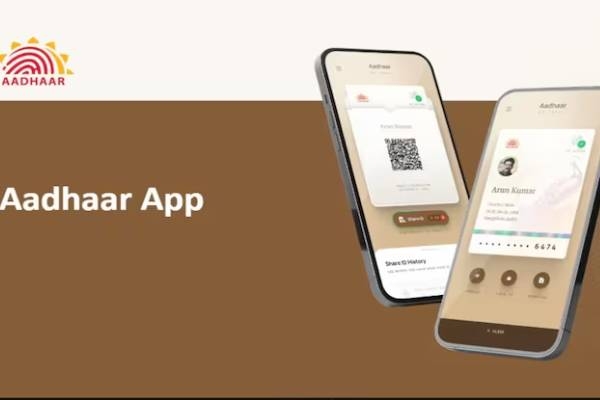
Unique Identification Authority of India (UIDAI) revealed the introduction of a new Aadhaar application on Sunday. This new application is designed to assist Indian residents in keeping their Aadhaar card safe and sharing it securely with others. You can find the app on both Android's Google Play and iOS' App Store. This new app works alongside the mAadhaar app, which mainly serves to verify information, download the ID, and request a physical Aadhaar card. The organization stated that the new app aims to provide a totally paper-free experience.
The initial point to note is that the new Aadhaar app does not replace the existing mAadhaar app. It lacks certain features found in the older app, such as downloading the digital card, requesting a PVC card, verifying email and mobile numbers, and creating a virtual ID. The new app can be viewed as a secure space to store and display your Aadhaar card information. UIDAI emphasizes that this app will allow users to maintain their Aadhaar details in a digital format. While Indians can already carry the PDF version of their card or access it online through Digilocker, the new application features a simple interface and a two-step method to view the information.
Discussing some app features, the agency indicated that users can store multiple Aadhaar cards on the app, which also lets them keep track of their family members’ information. The current limit is five profiles. However, to include more Aadhaar cards, they must be linked to the same mobile number as the main card. The new Aadhaar app also provides users with access to all their details on their smartphones and allows information sharing in a verifiable credential format. Users have the option to add a biometric lock for additional data protection. Once this feature is activated, the biometrics remain locked until the cardholder temporarily unlocks or disables it. The app will also display updated profile information after a successful update request. Moreover, users can share QR codes and verifiable credentials through the app. In conclusion, users can scan Aadhaar-related QR codes within the app for any transactions or services.
How to Use the New Aadhaar App:
To start using the app, first, you need to download and install it from the Play Store or App Store. Next, select your preferred language and input your 12-digit Aadhaar number. The app will then prompt you to send an SMS from the mobile number linked to your Aadhaar. After entering the OTP, you will be taken to complete facial authentication. Once that is done, you will need to enter a six-digit password. That’s all. You can now view your Aadhaar card on the profile page of the app. You also have the option to mask it, share it, and add a biometric lock. You can repeat the same process to add up to four more Aadhaar profiles.